
SETUP BEFORE BABY IS HERE!
Getting started with your Cubs
You are in the right place. Below you will see step by step instructions on how to get your Cubs set up, usage tips and frequently asked questions.
Ready? Let's go!
STEP 1
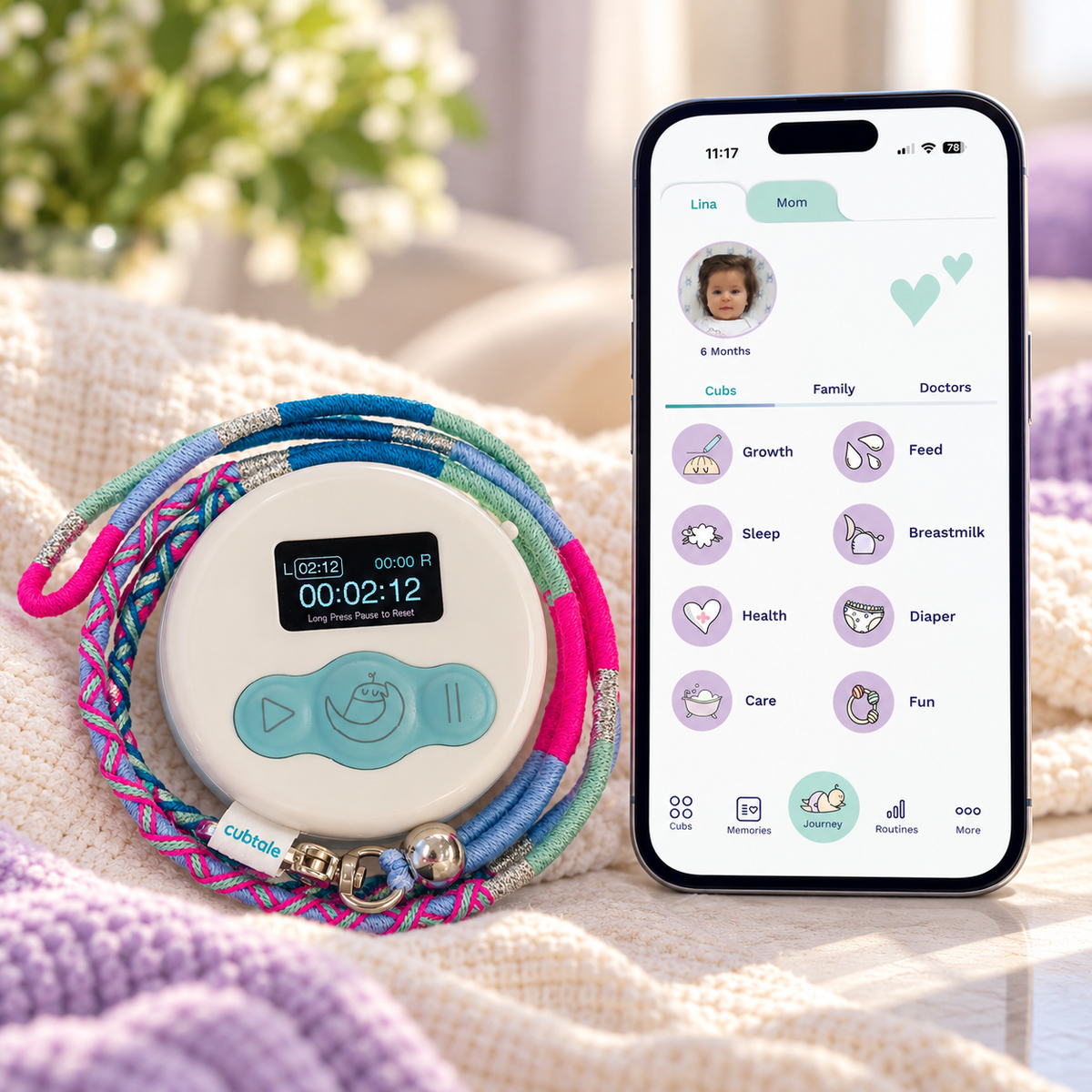
Download Cubtale App
Download Cubtale App using the below link. App is available on iOS and Android.
Already have the app? Skip to Step 3
STEP 2
Create your baby’s profile
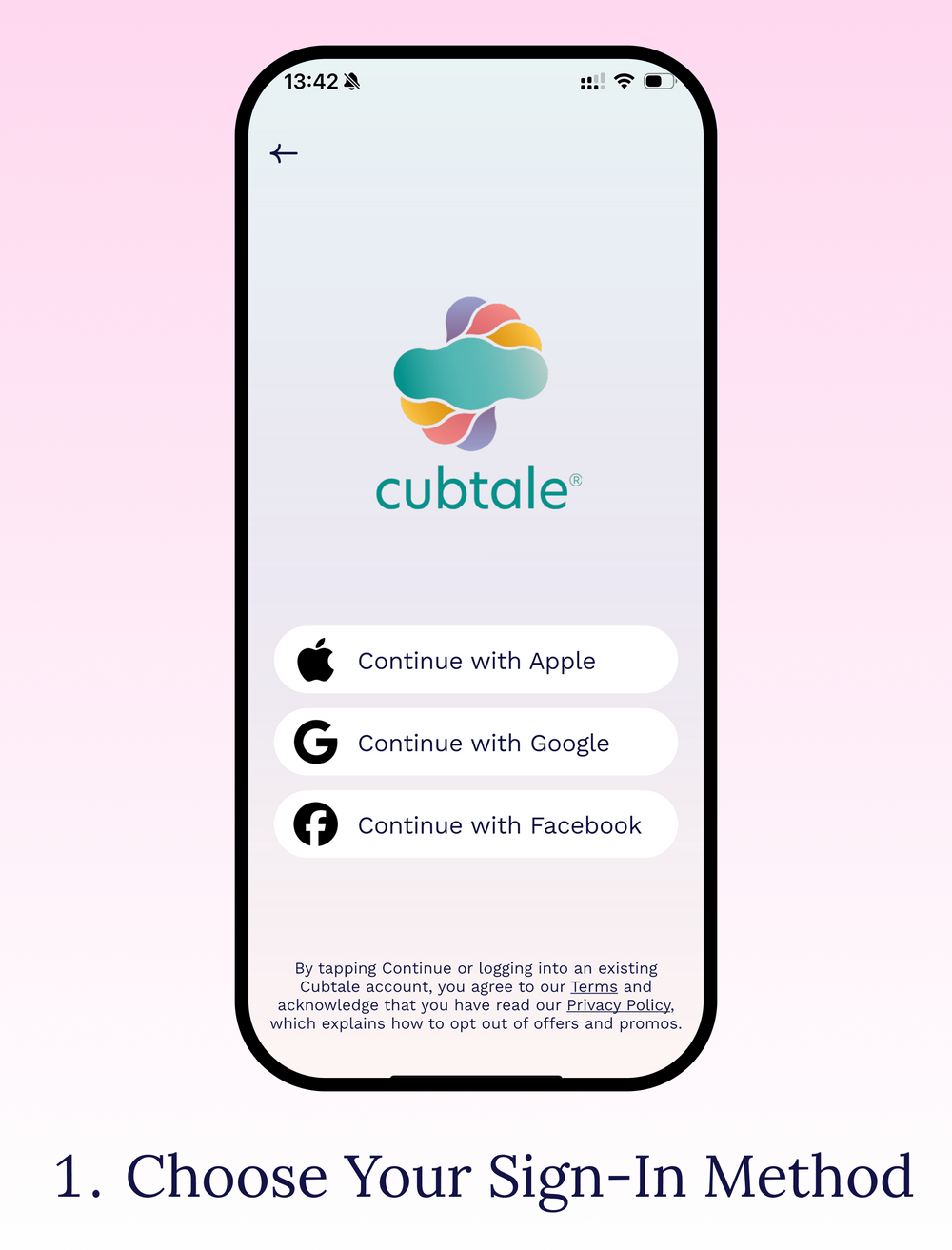
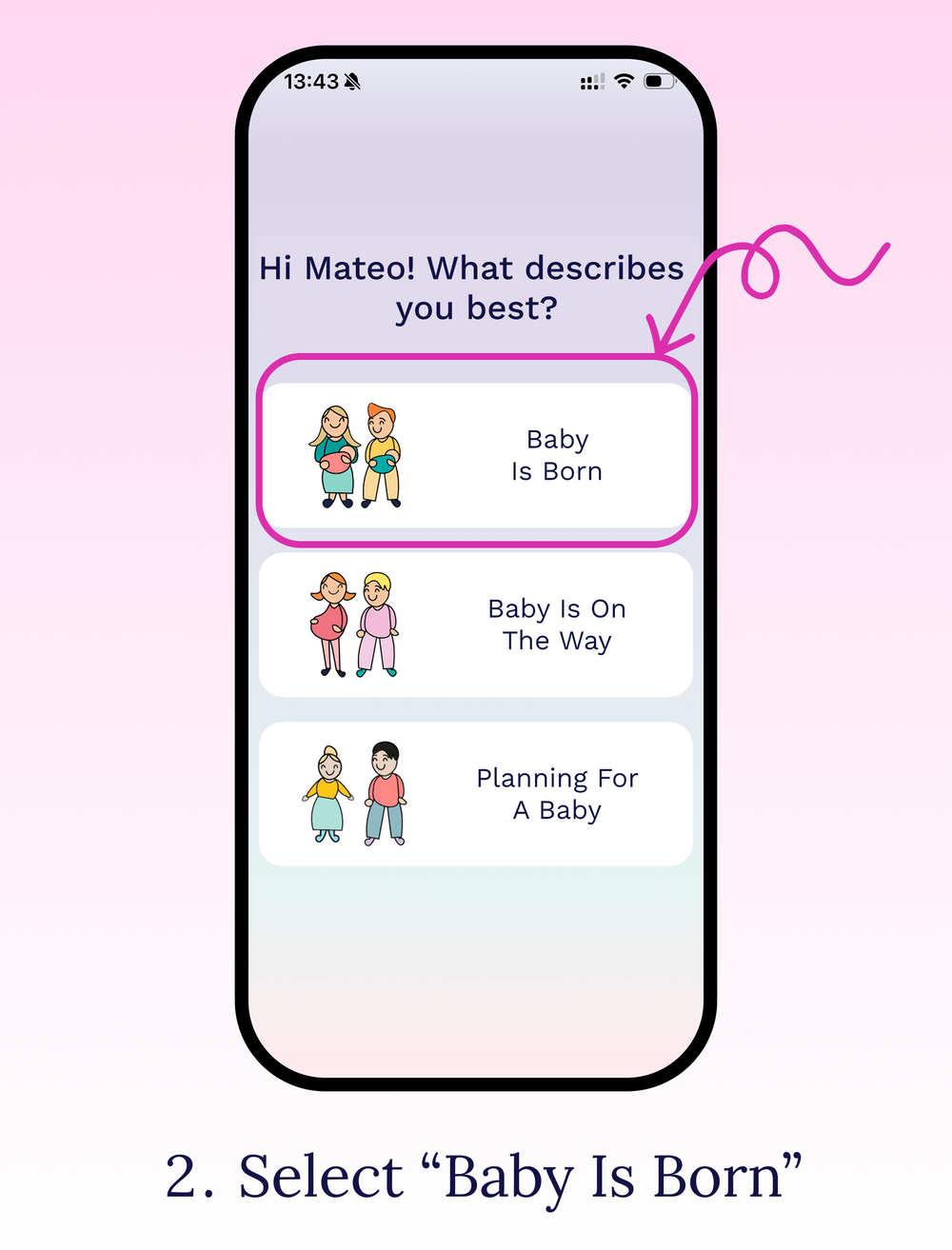
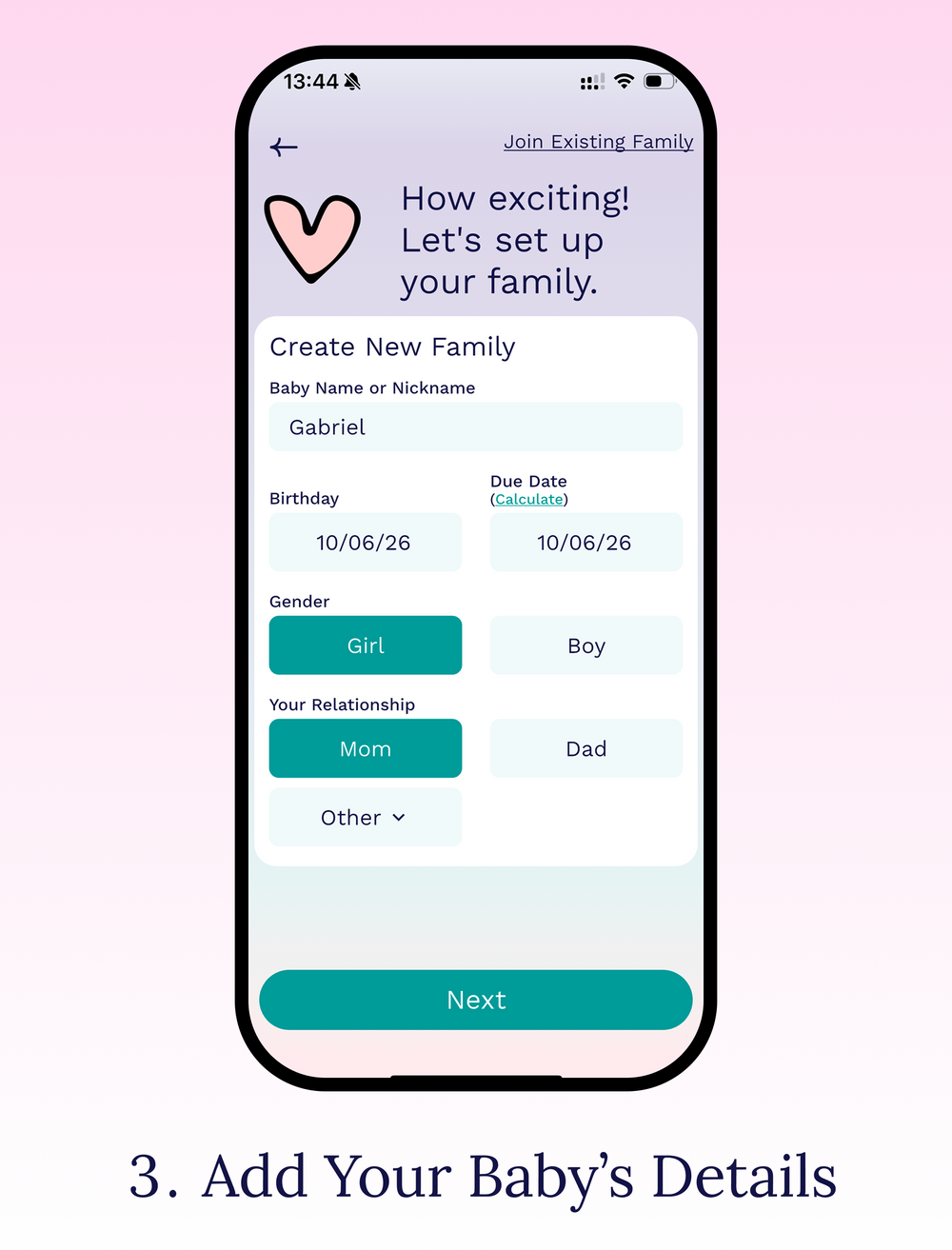
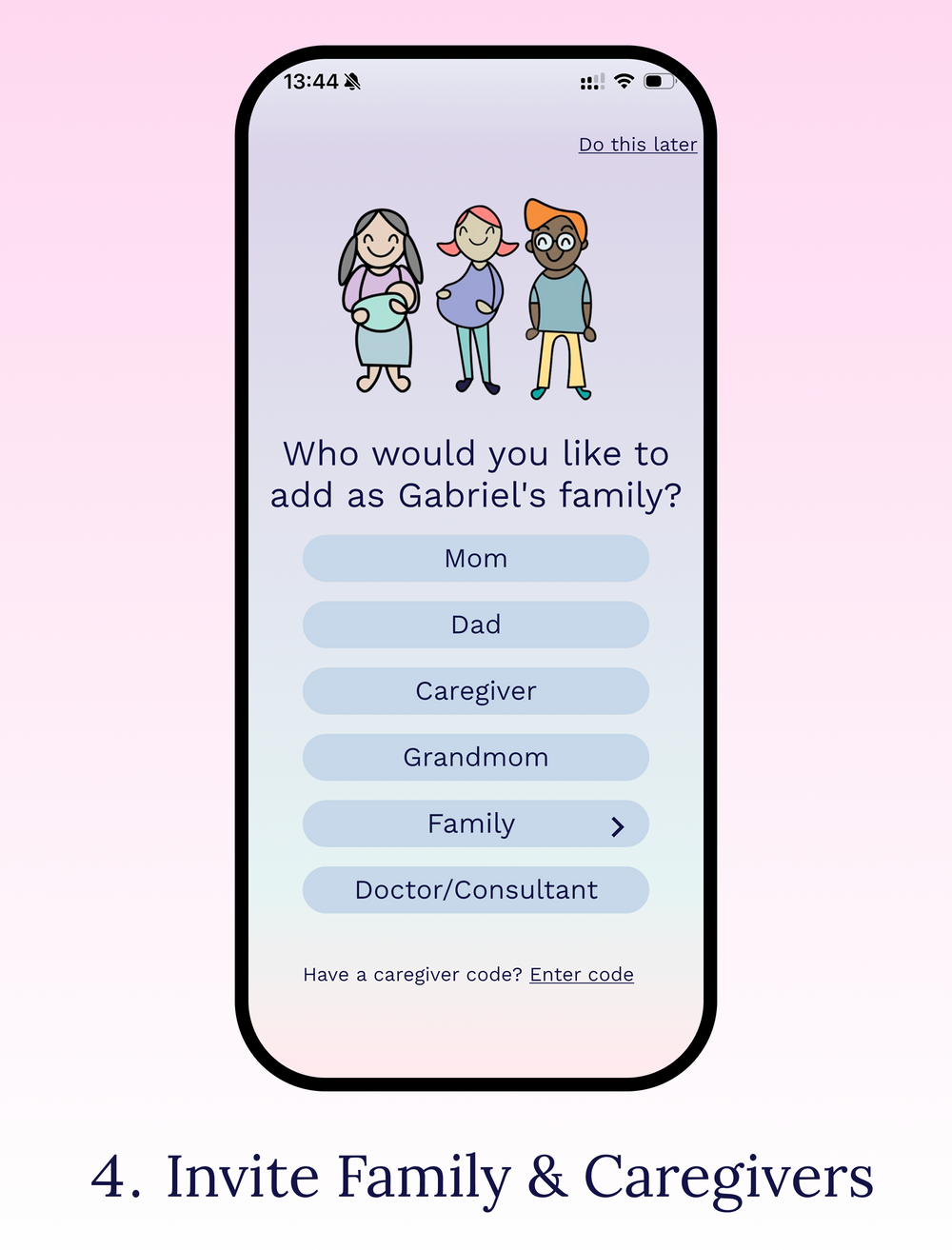
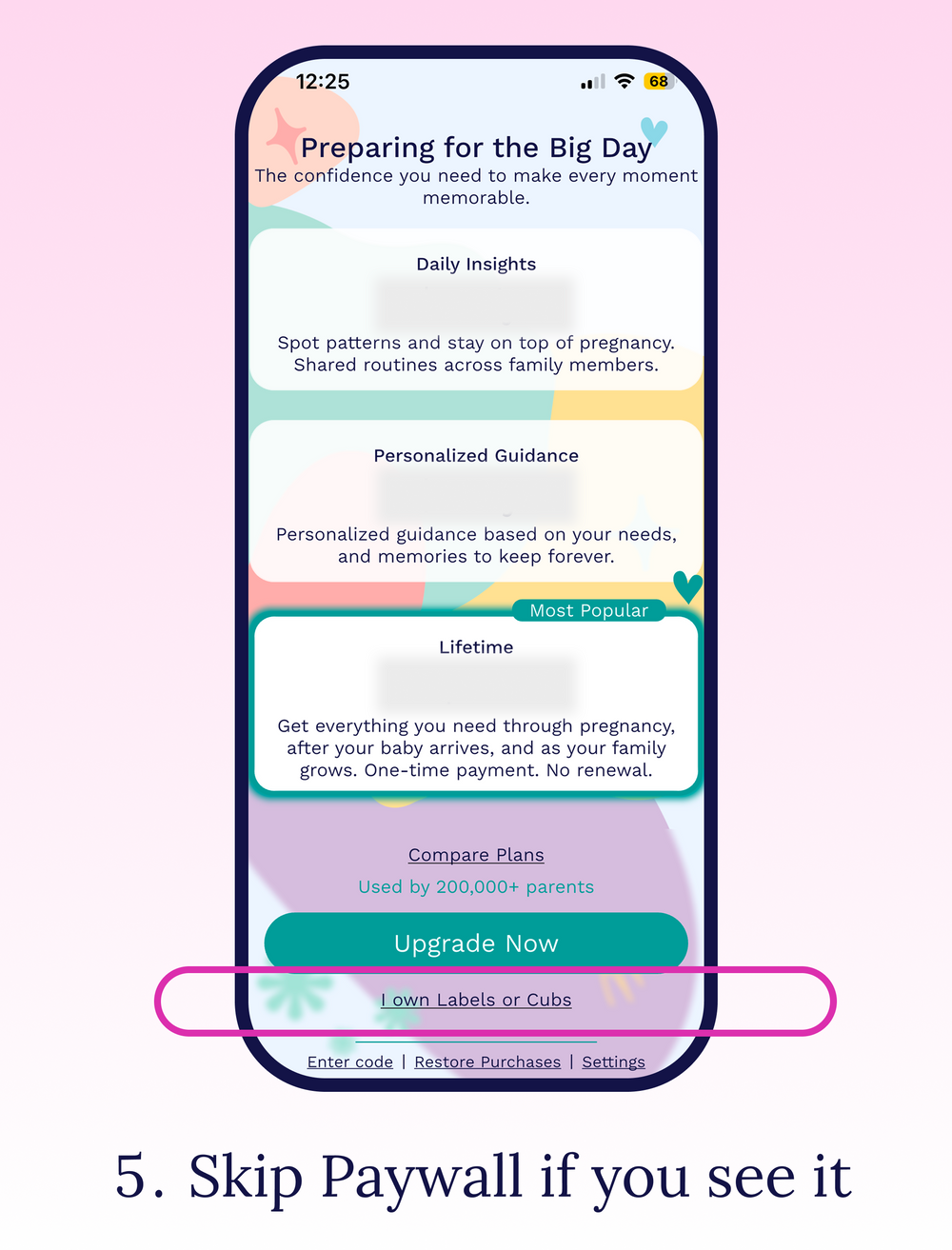
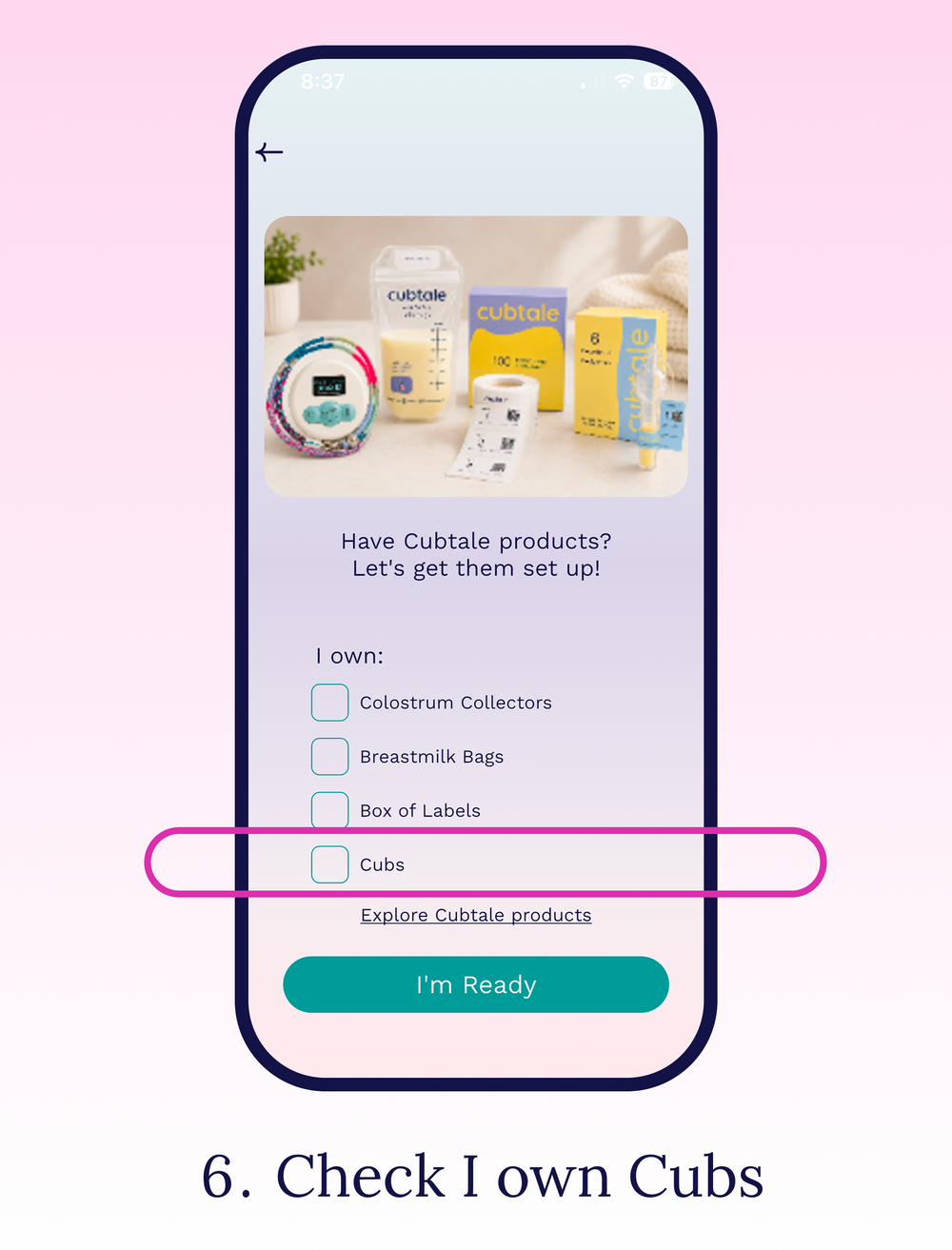
Open the Cubtale app and follow these steps to set up your baby’s profile before pairing your Cub.
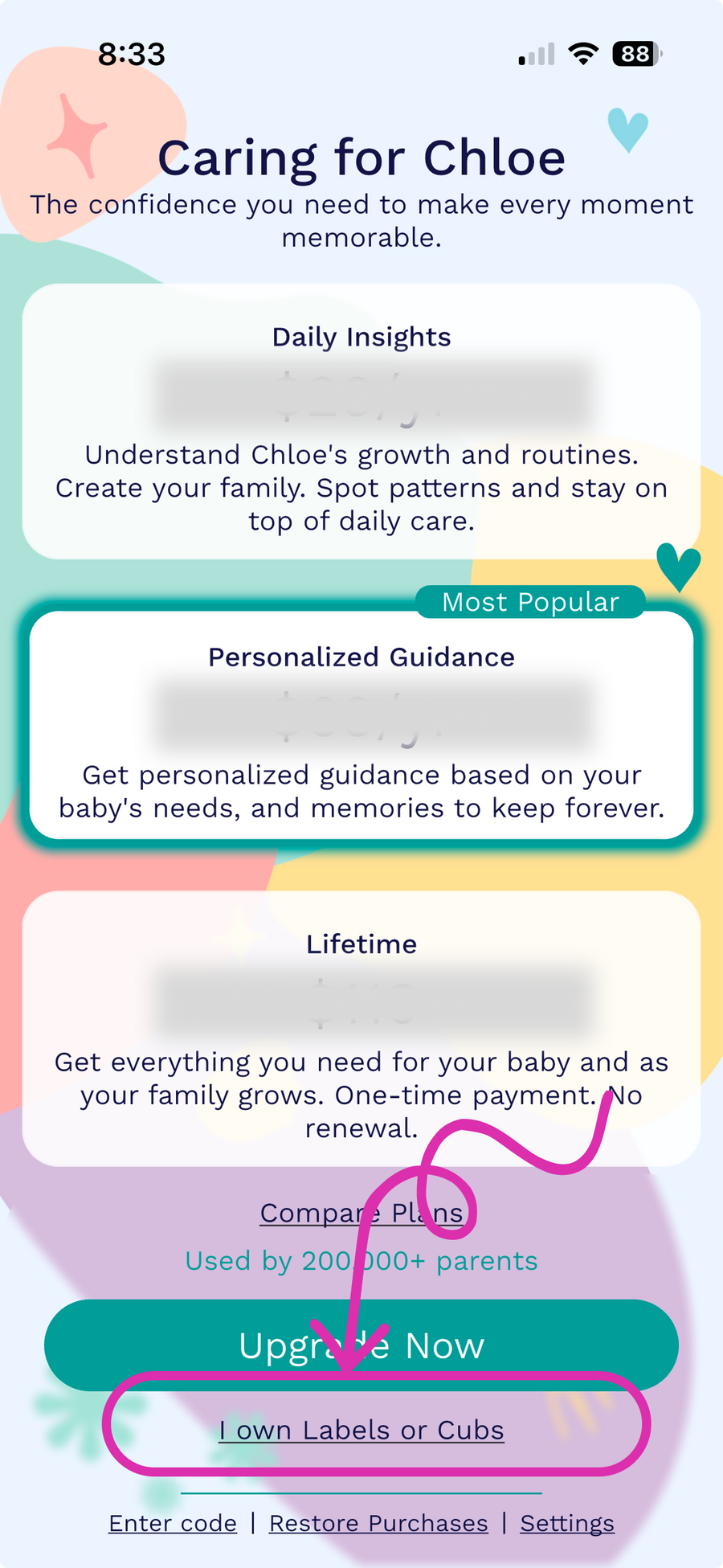
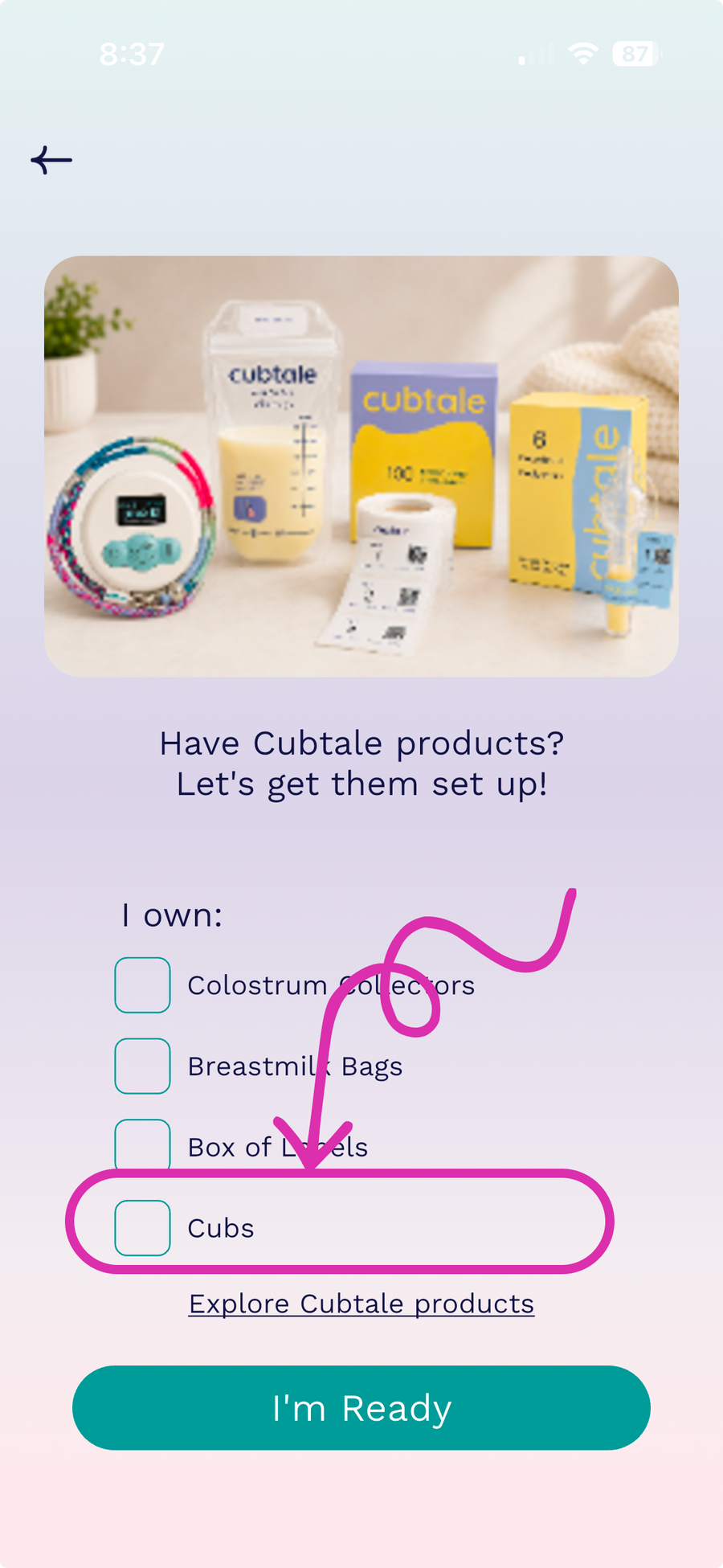
Seeing a paywall? Skip it by selecting "I own the Cubs".
Already have a baby profile? Go to Step 3
STEP 3
Pair your Cub
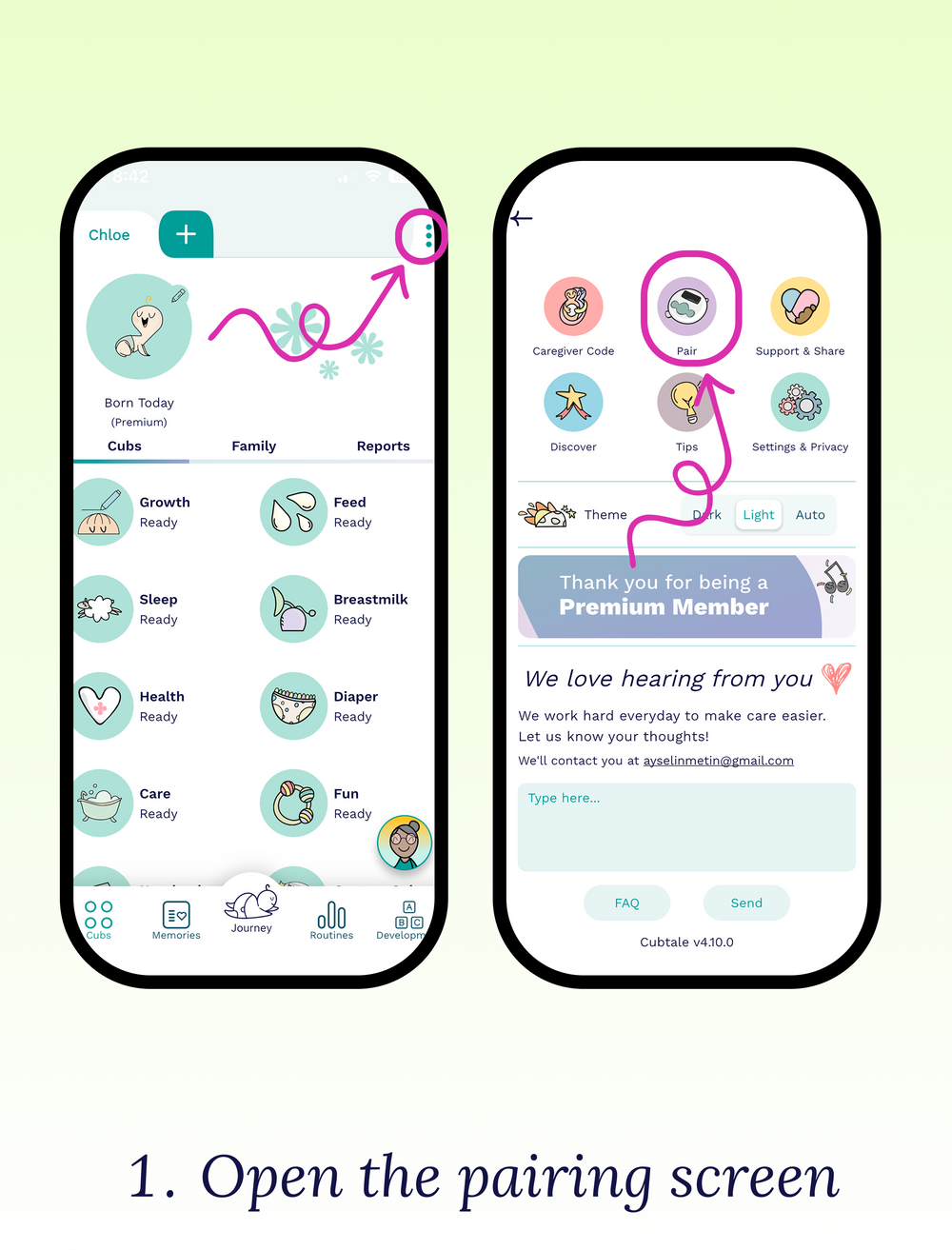
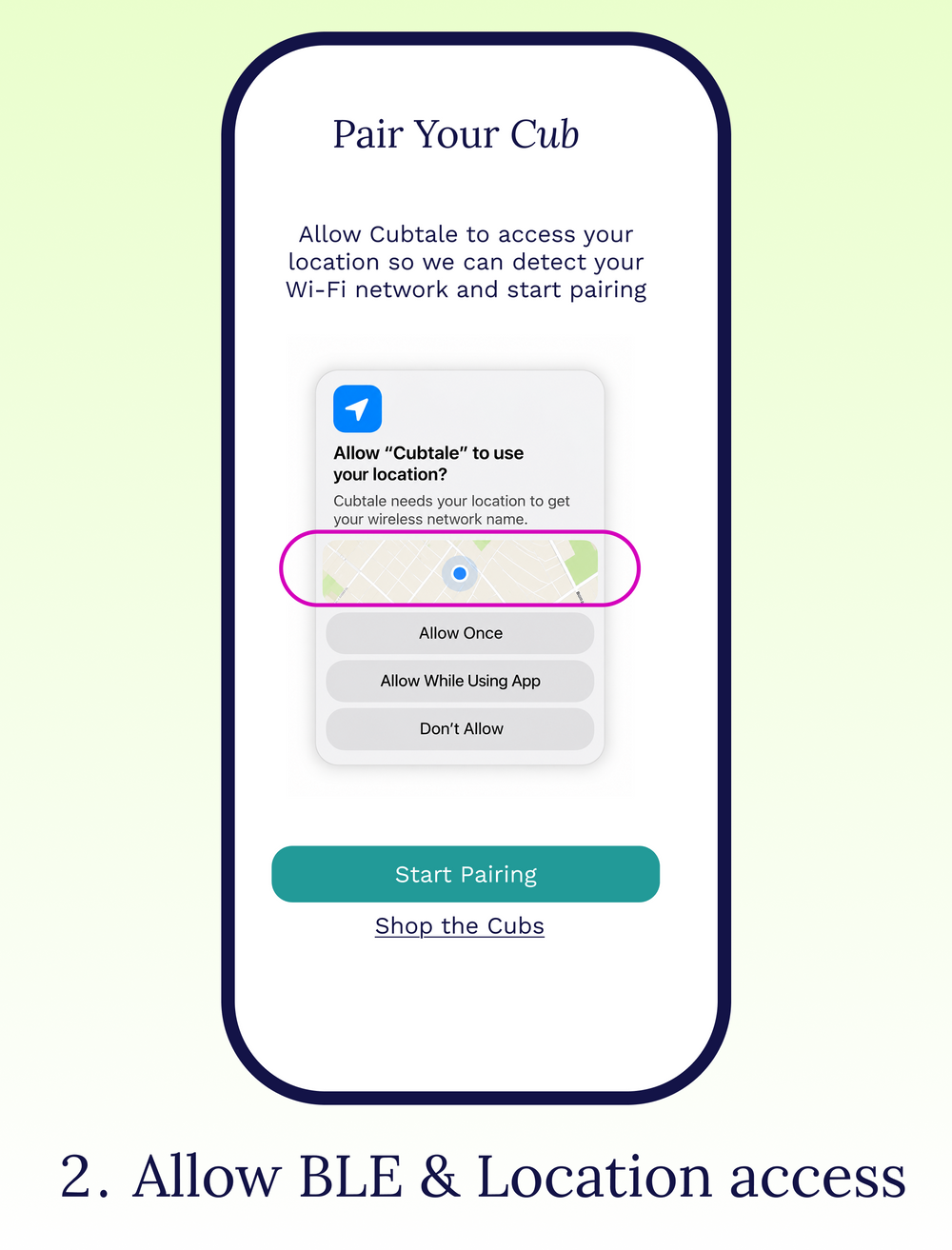
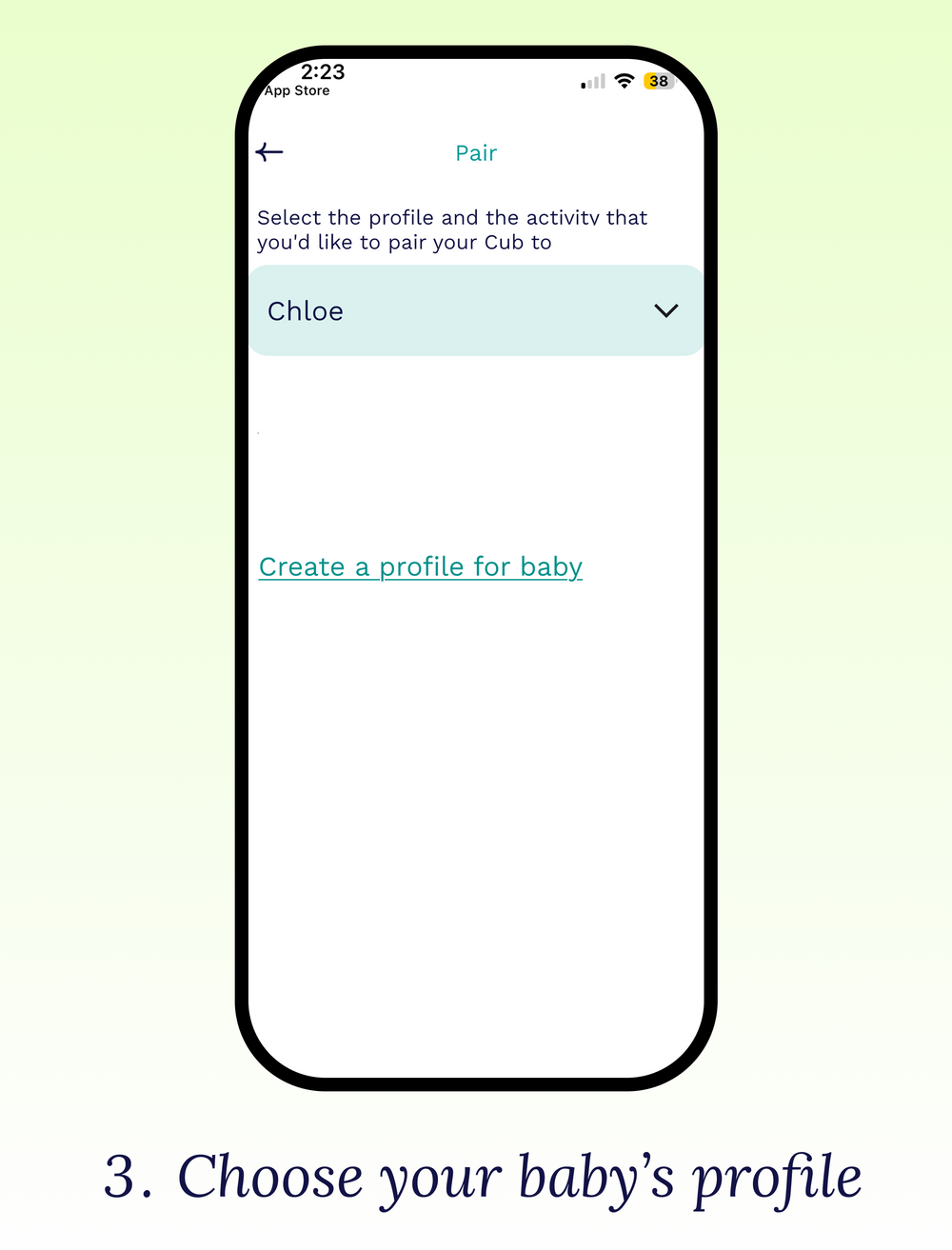
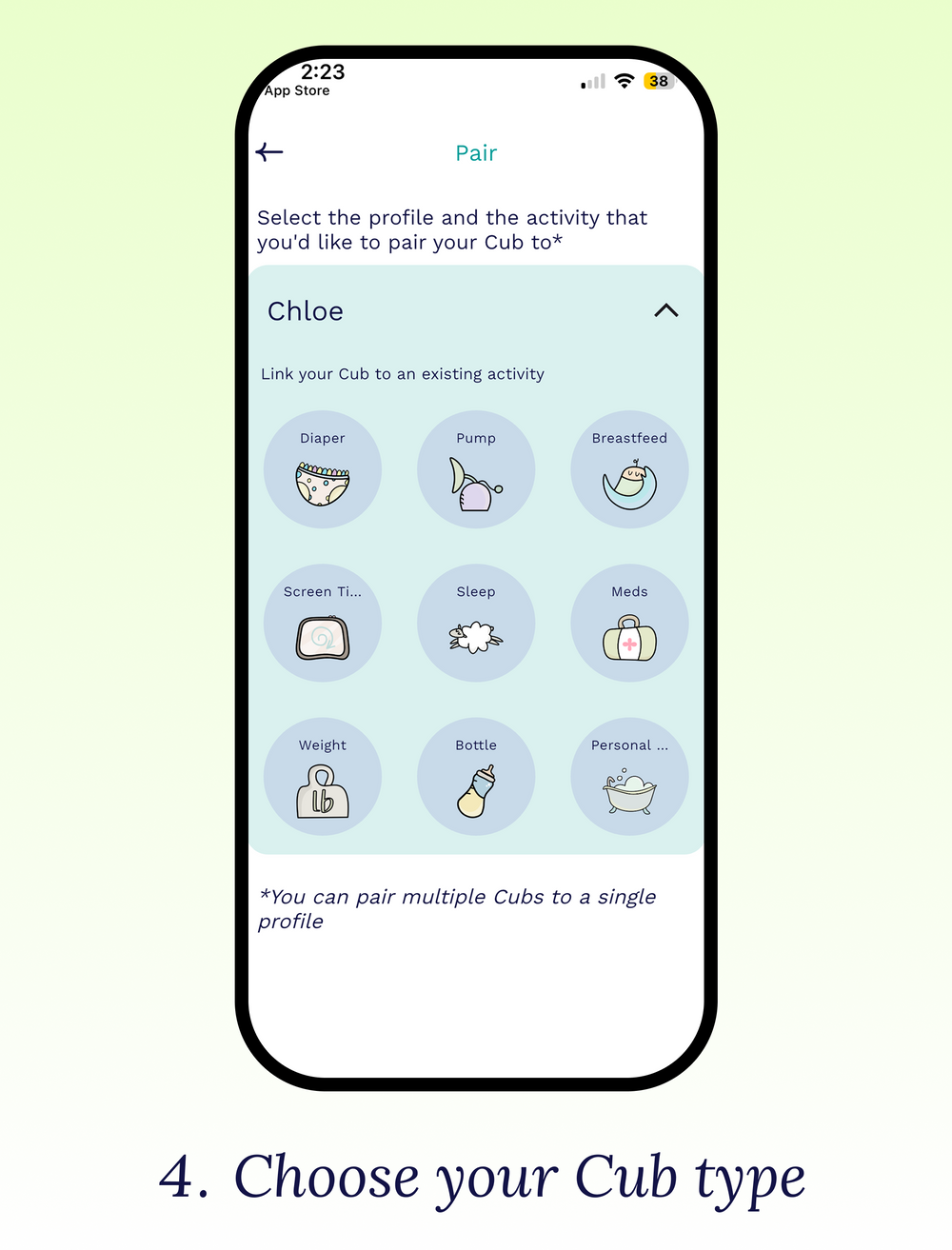
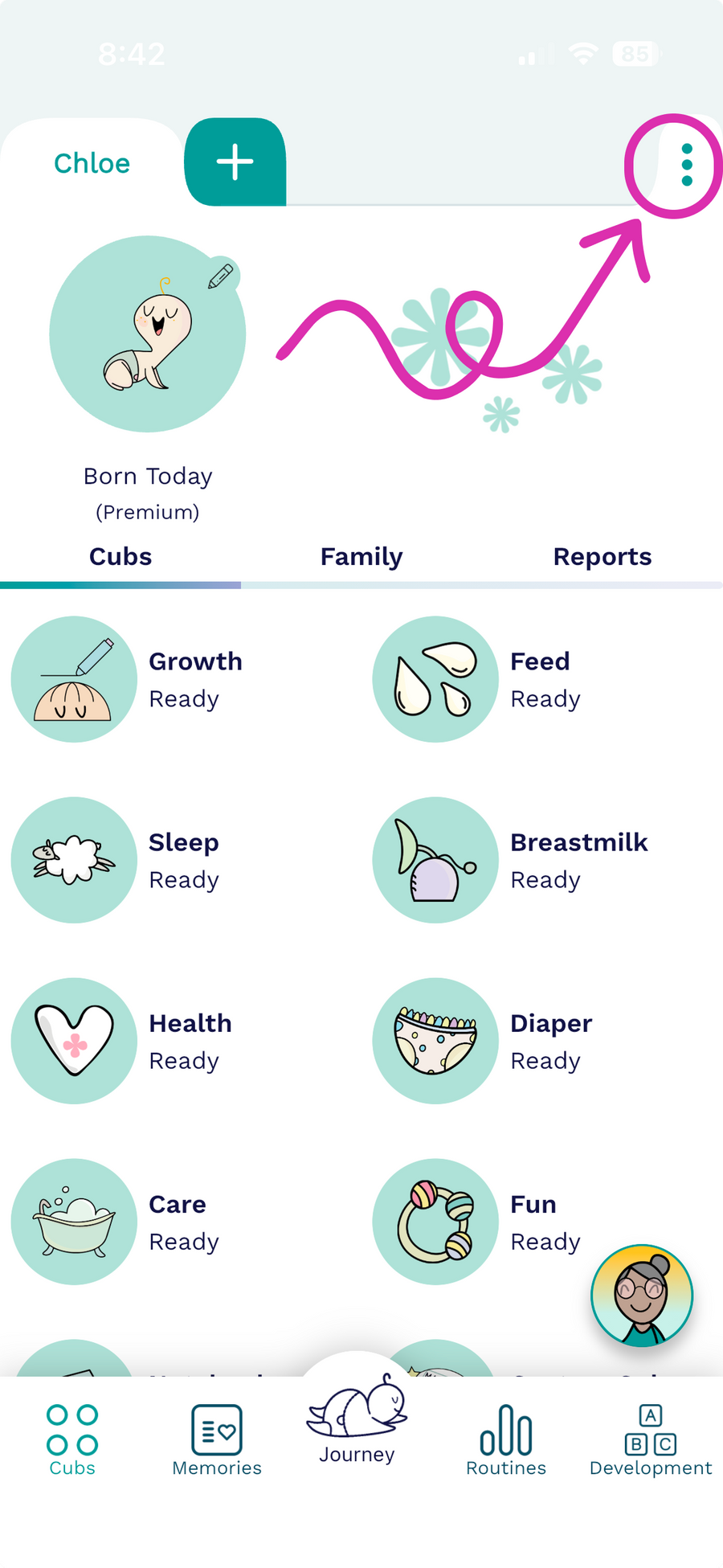
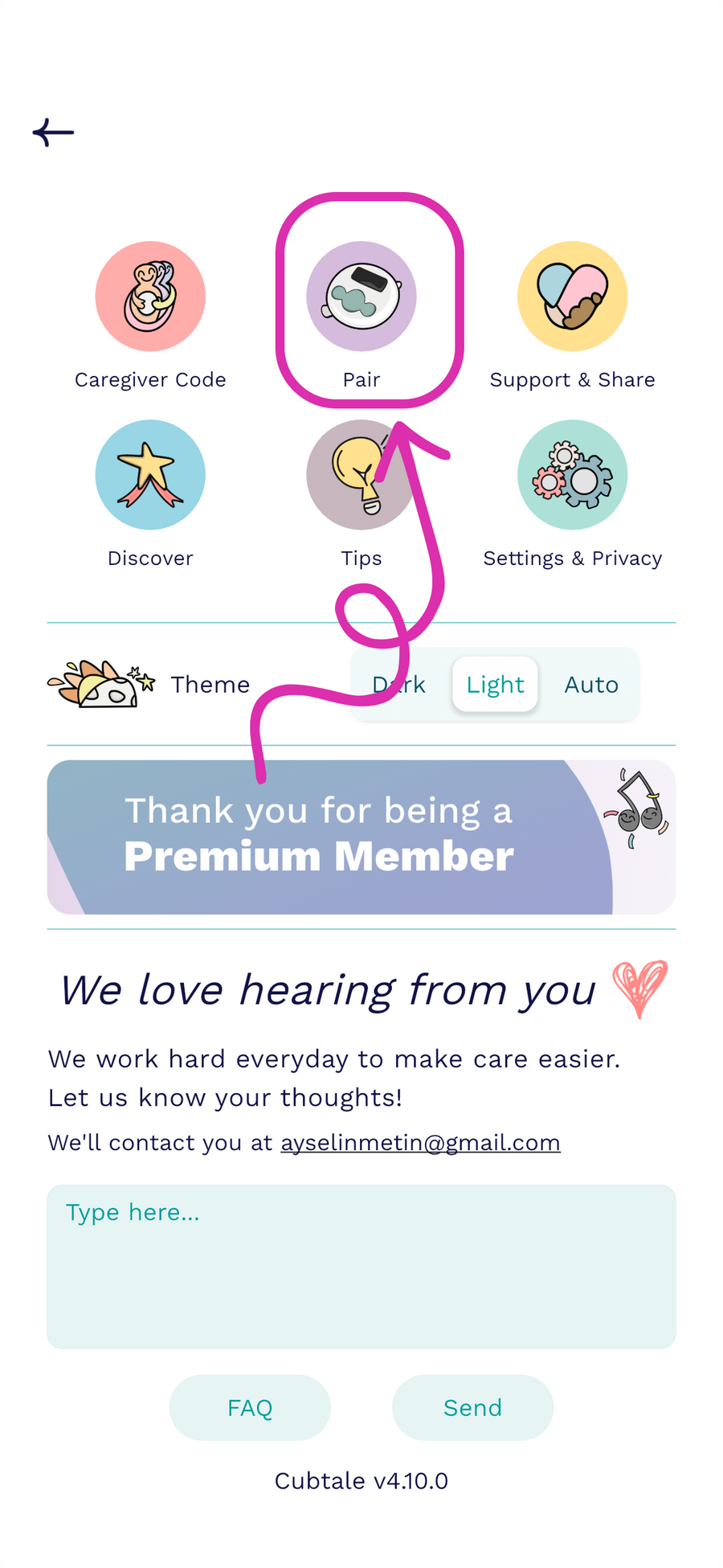
Tap the three dots in the app, select Pair, then Pair your Cubs. Allow Bluetooth and Location access when prompted.
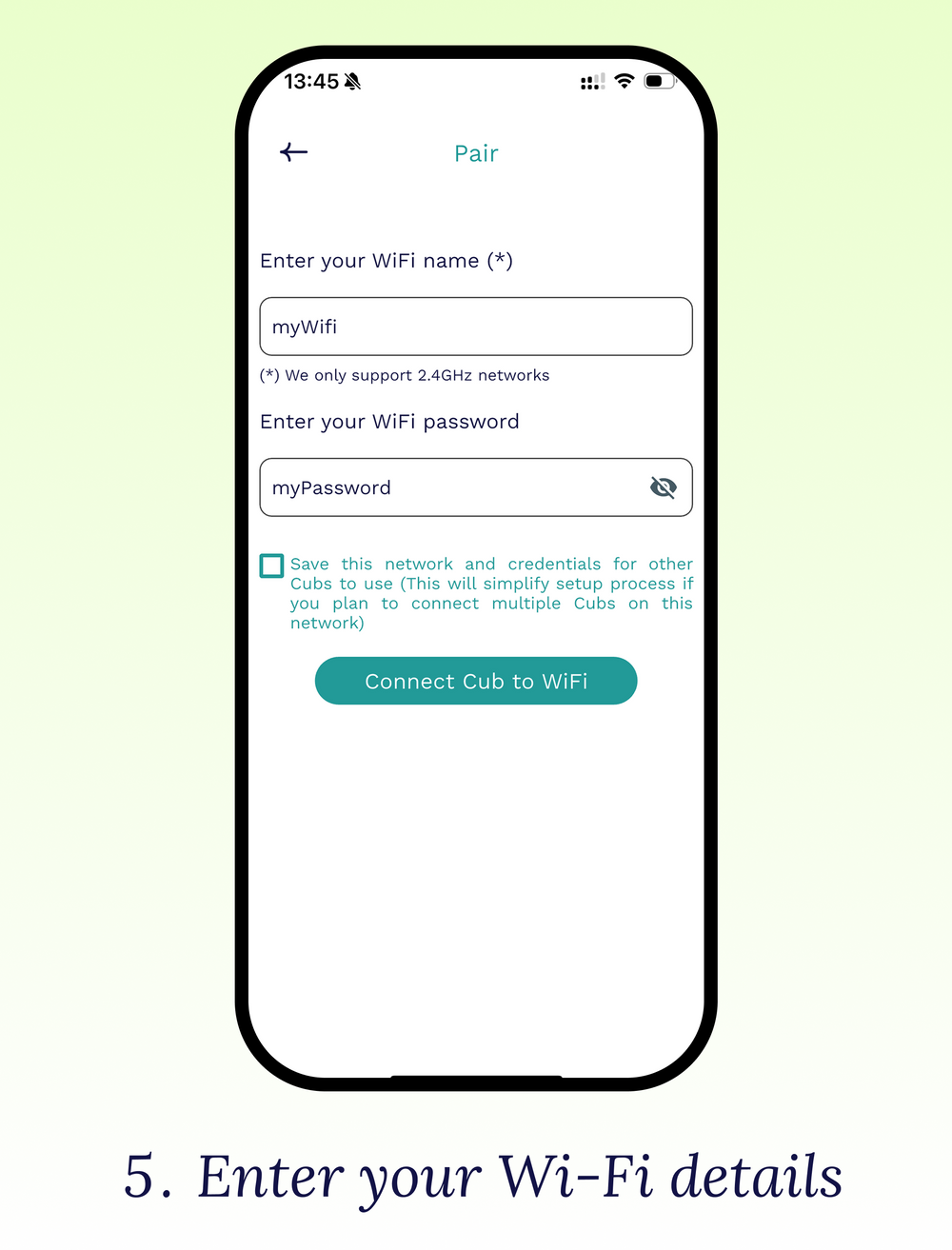
Enter your 2.4 GHz Wi-Fi name and password exactly. Cubs do not support 5 GHz networks.
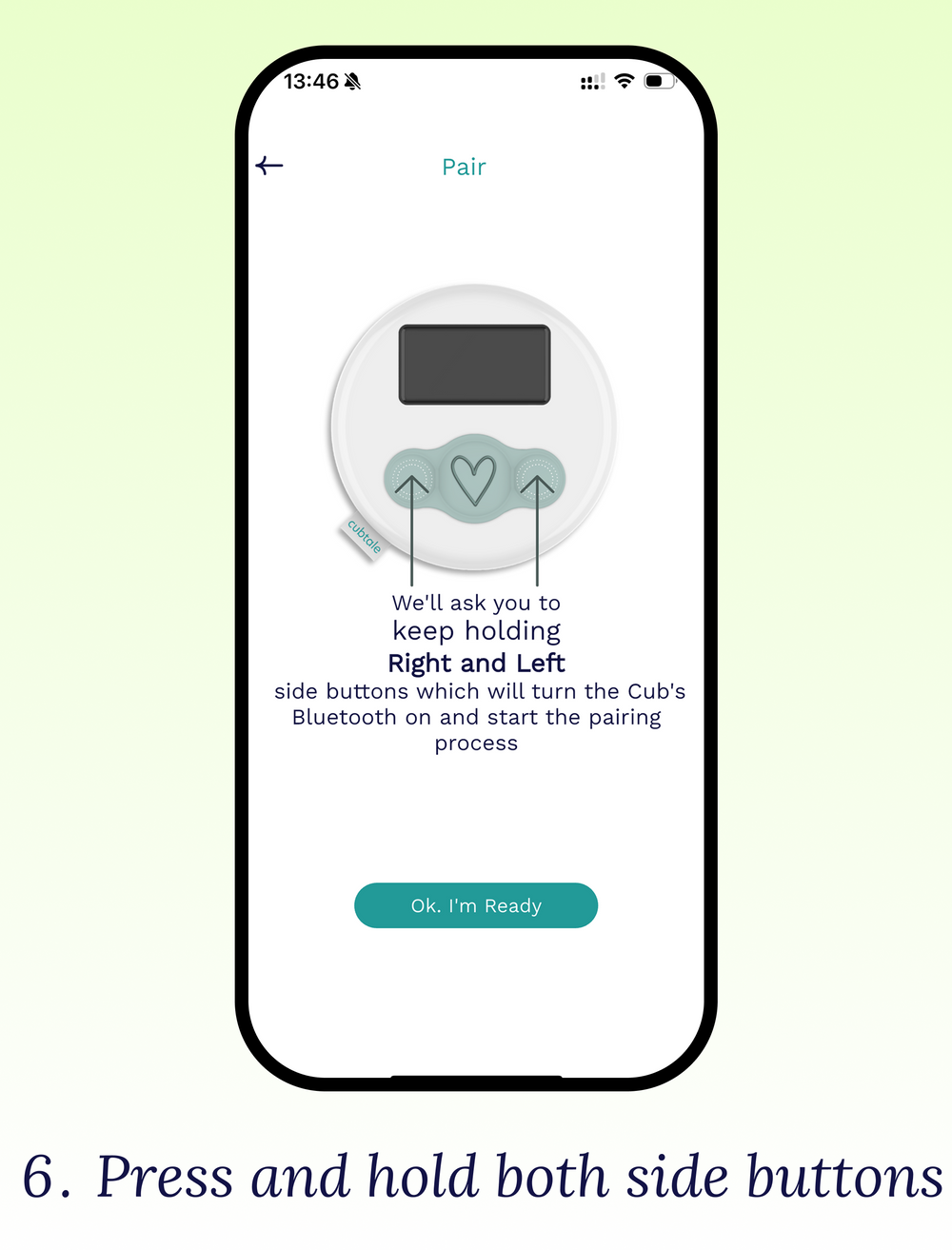
Tap I’m ready, then press and hold both side buttons on your Cub. Keep holding while the Cub shows "Setting up your Cub" until setup is complete.
STEP 4
Log your first activity!
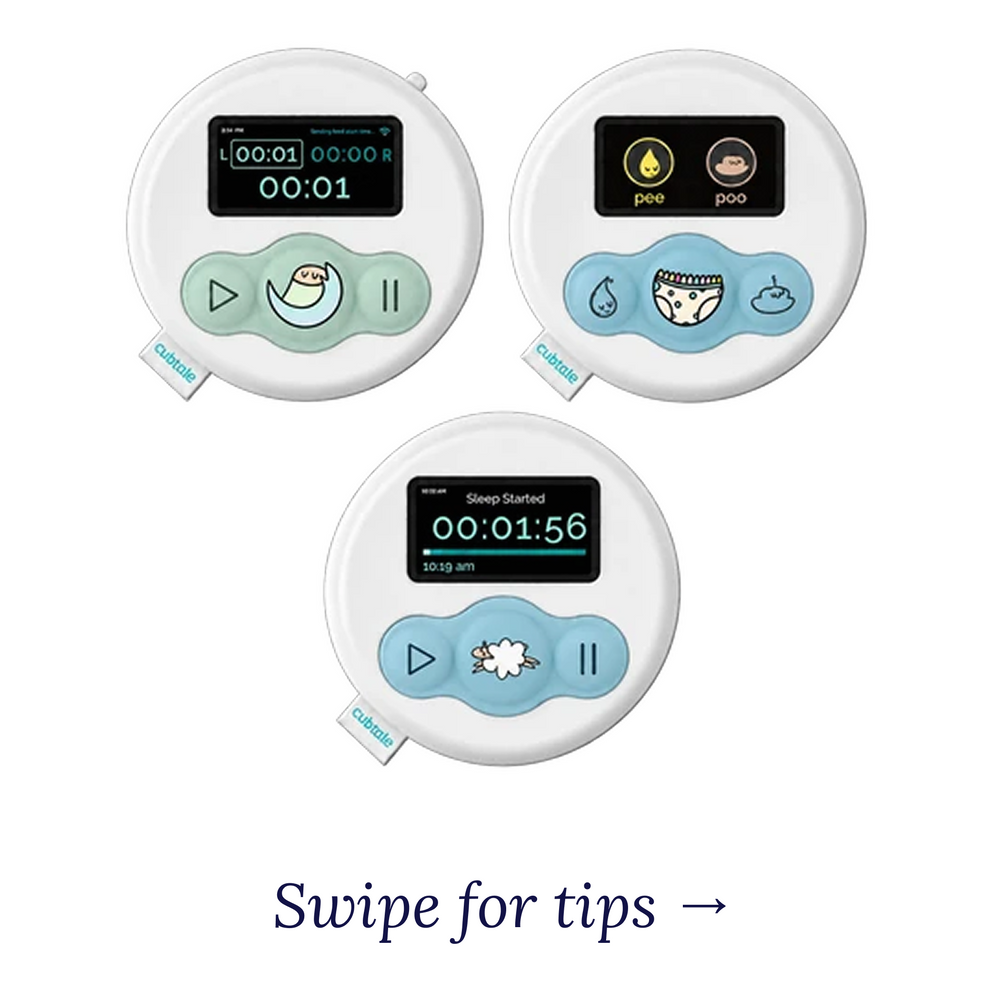
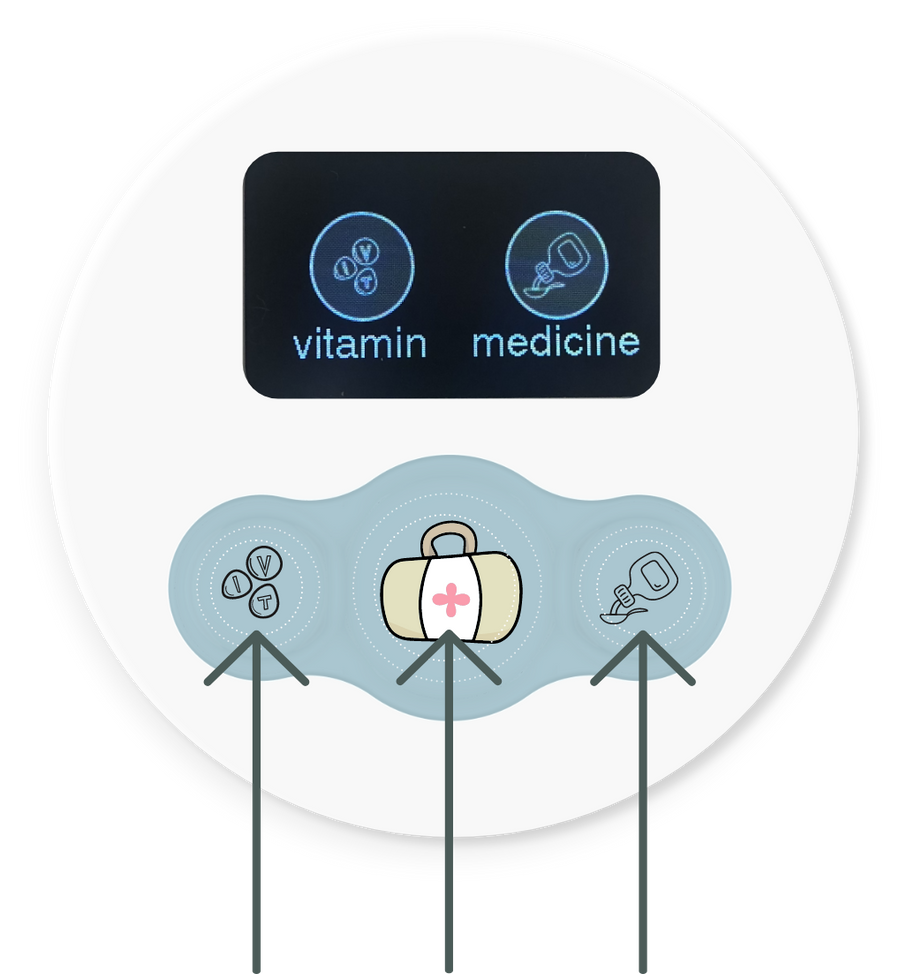
- Use the left and right buttons to control your Cub.
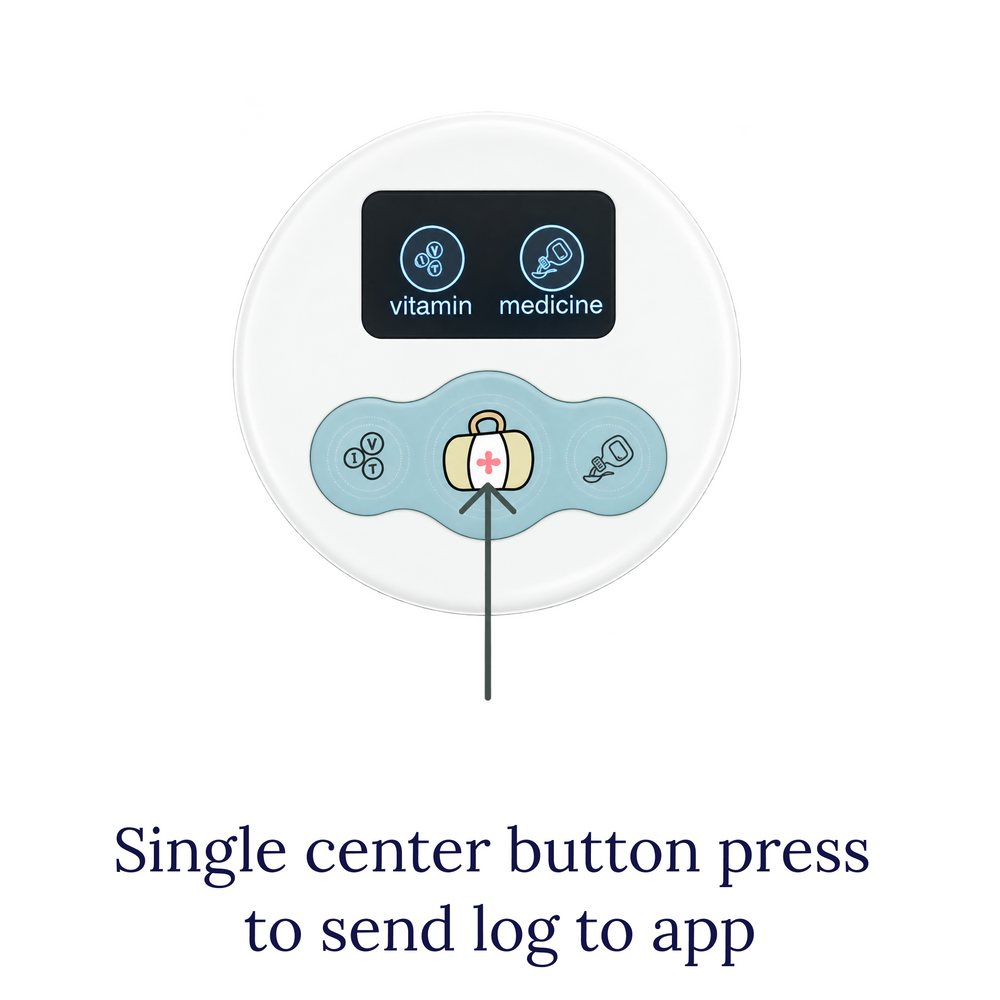
- Press the center button to send the log to the Cubtale app.
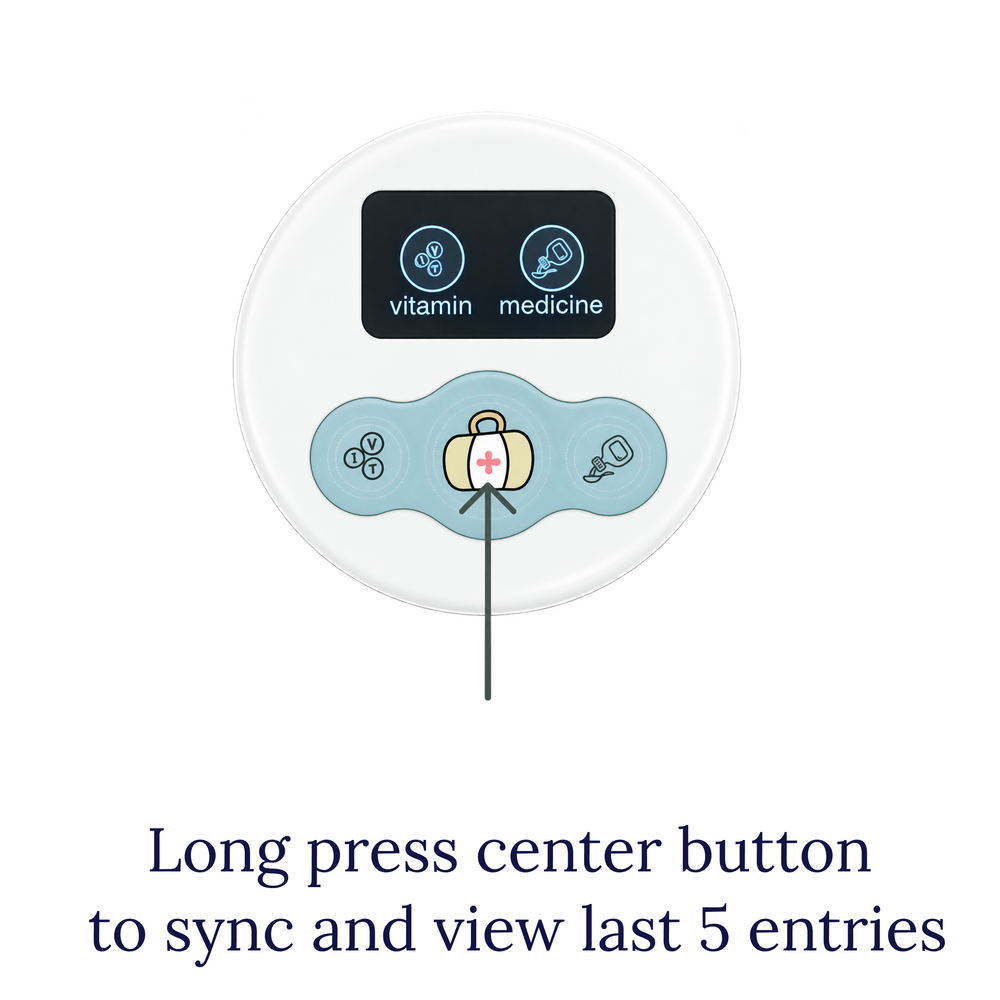
- Long press center to sync, or see your last 5 logs
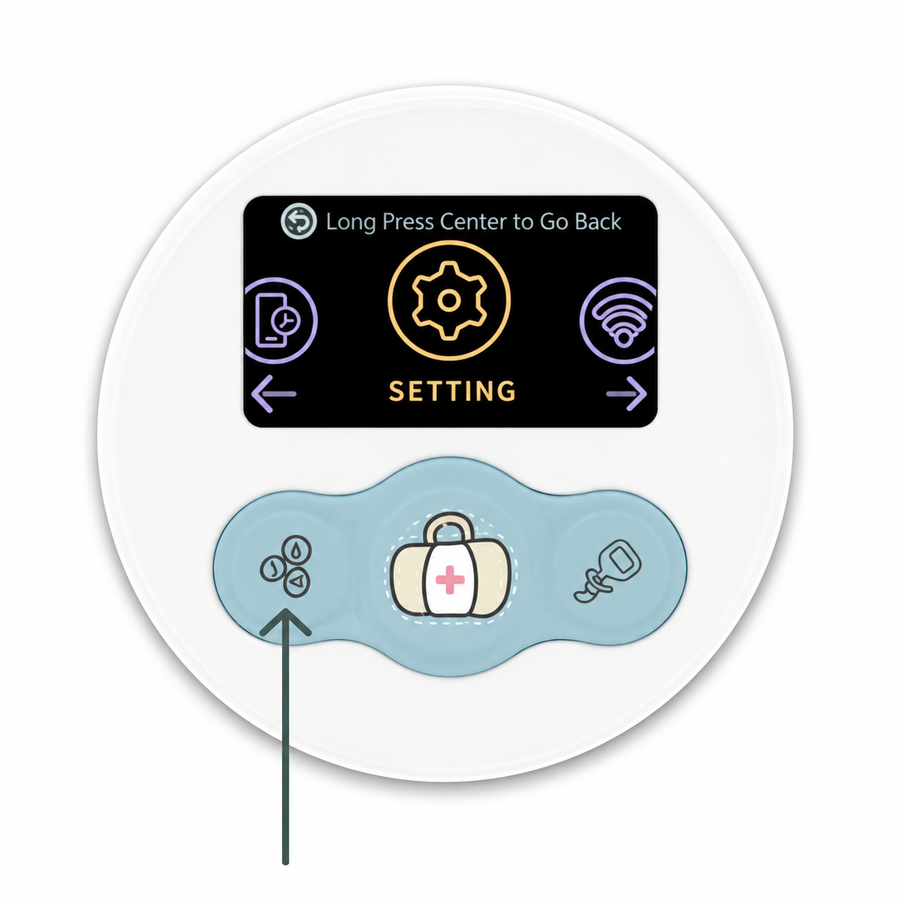
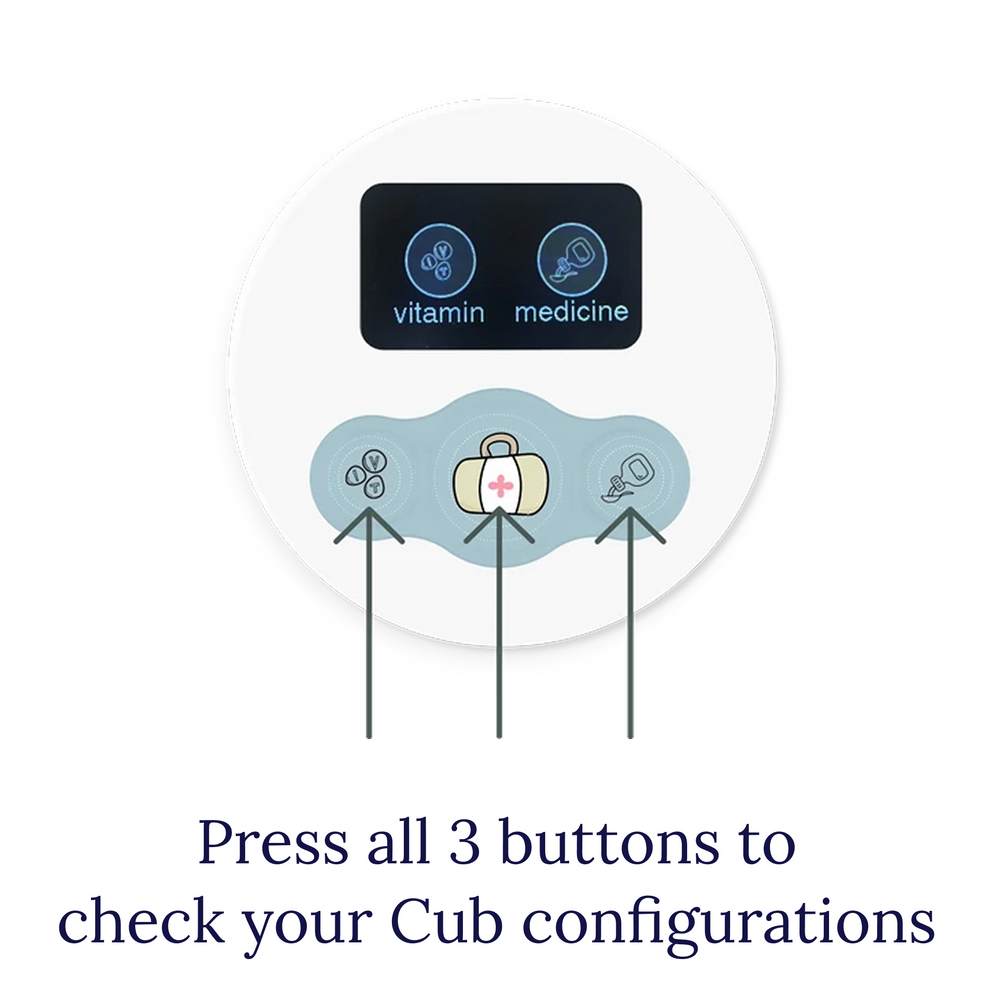
- Press all 3 at the same time to check different configurations
That's it! You no longer need your app to log every feed, diaper, medicine or sleep event :)
Frequently Asked Questions
Understanding Your Cubs
Can I pair multiple Cub devices to the same activity and same child?
Yes, we understand that sometimes you need multiple devices for the same activity tracking, simply because you'd like to keep your devices in different locations. Pairing two devices into the same tracker and same profile is certainly possible.
Do Cubs send data via Bluetooth?
Cubs require a Wi-Fi connection. If Wi-Fi is unavailable, your Cub can store your 5 most recent logs and sync them to the app once Wi-Fi is available again.
Do Cubs have memory?
Yes! Cubs can store up to 5 of your most recent logs in memory and sync them to the app once your Wi-Fi is back.
To sync your logs, long-press the center button to open the memory screen, where you’ll see your most recent entries. Press the center button again to sync your saved logs to the app.
How do I setup my Cub?
To start the setup and pairing process, go to your Cubs screen, click on the 3 dots on the top right of your Cubs screen and then click Pair. See detailed instructions here
To get a better view of how to pair your Cubs we have a 2 minute pairing video.
Having issues? See here if we have a solution for you!
I'm have issues with pairing my Cub
No problem: A few quick checks:
- Turn on Bluetooth on your phone — Make sure Bluetooth is enabled on your phone.
- Check your Wi-Fi — Make sure your phone is connected to Wi-Fi and has internet access.
- Use a 2.4 GHz network — Cub devices can’t connect to 5 GHz-only networks.
- Move closer to your router — Keep your phone and device near the router during setup.
- Reset your Cub — To reset your device, press all 3 buttons on your device simultaneously, then go to Unpair/Reset. This ensures your device ready for pairing.
- Restart your router — If it still won’t connect, restart your Wi-Fi router.
- Reach out to Cubtale team — Still having issues? Email us at info@cubtale.com and we will get back to you in 2 business days.
Can I use a different Cub to track Breastfeeding or vice versa?
Cub devices can be used interchangeably with the exception of the Breastfeeding Cub. Breastfeeding Cub has a Right/Left switch so only the Breastfeeding Cub can be paired into the Breastfeeding tracker in the app.
How long do Cub batteries last?
A fully charged Cub device can last for 3-4 months without recharging. Breastfeeding Cub may require charging once a month as it is used more frequent.
My Cub stopped working, what can I do?
1. Battery empty— charge it for at least 30 minutes before trying again.
2. Battery protection after long storage — a fully depleted device may need to charge for a while before any light appears.
If you haven't used your Cubs for 2-3 years, and haven't activated the batteries in between, it is also possible that the batteries need replacement.
3. Device isn’t charging — check that the charging connection is fully inserted and clean.
4. Defective device — unfortunately every once in a while we come across these cases. Please send us an email with your orderid (Amazon or Cubtale.com) and we will ship you a replacement.
Does the app require subscription?
Cubtale app has a paid premium plan, however Cub owners get 3 months of premium for free. All you need to do is to pair your Cub and it will automatically add 3 months to your account.
My CubPads are not working, what can I do?
Unfortunately every once in a while we come across these cases. Please send us an email with your orderid (Amazon or Cubtale.com) and we will ship you a replacement.
How do I update my Cub settings?
Press all three buttons on your Cub at the same time to open your Cub’s configurations mode. From here, you can customize activity settings, check your Wi-Fi connection, unpair/reset your Cub, and update its software.
How do I reset my Cub device?
Press all three buttons on your Cub at the same time to open your Cub’s configurations mode. From here, you can customize activity settings, check your Wi-Fi connection, unpair/reset your Cub, and update its software.